How to Make AI UGC Ads: A Step-by-Step Guide
How to make AI UGC video ads that look real and sell: script, AI creator, scene, clips, editing, testing and the rules on AI ads.
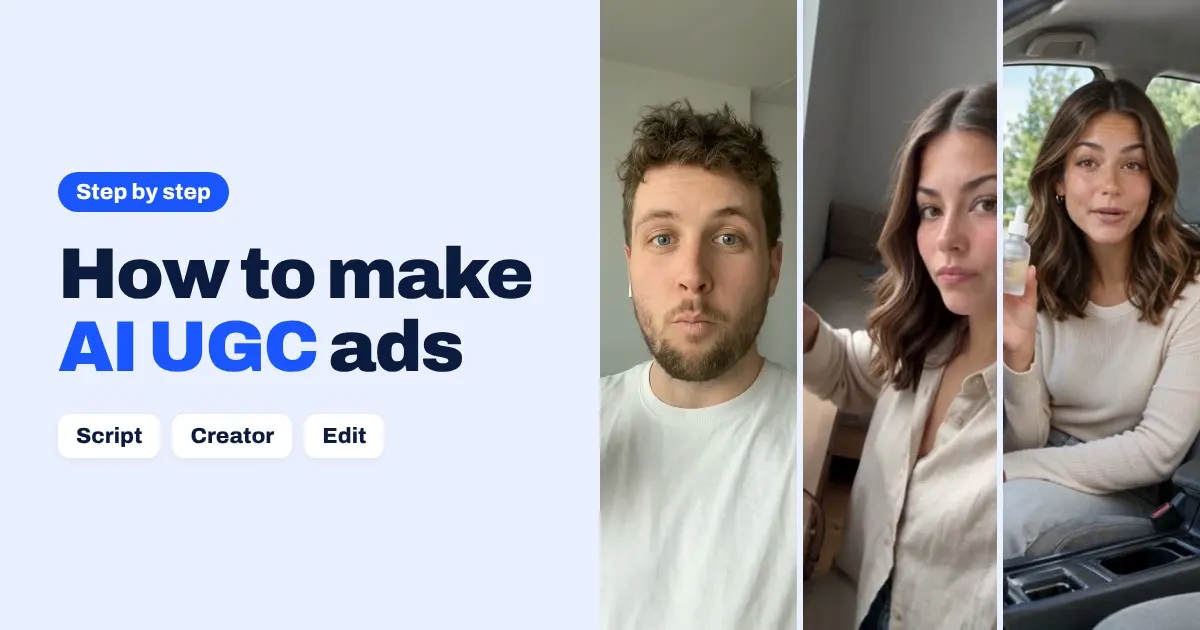
AI UGC ads are video ads that look like a real person talking to camera, except the person, and often the whole scene, is made with AI. Done well, they let you test many hooks, angles and creators in days instead of weeks. Done badly, they look fake in the first second and people scroll straight past.
We make AI UGC ads every day. This guide walks through the process we use, step by step, and the details that decide whether an ad looks real or looks like AI.
What you need before you start
- A product page with clear photos of the product from a few angles.
- A goal: sales, leads or app installs.
- Where it will run: Facebook and Instagram, TikTok or both. Plan for vertical 9:16 video.
- Time to test. One AI ad is a guess. Plan to make several.
If you're new to UGC, start with what is UGC and AI UGC vs real creators.
Step 1: Research what already works
Don't start with a blank page. Look at what's already running in your market:
- The free Meta Ad Library shows every active ad from your competitors on Facebook and Instagram. Ads that have run for weeks are usually working.
- TikTok Top Ads shows high-performing ads by industry, with a second-by-second engagement graph.
Write down the hooks, formats and angles you see again and again. You're looking for patterns, not a video to copy.
Step 2: Write the script first
The script decides most of the result. Write it before you touch any AI tool.
- One angle per ad. One main reason to buy.
- A strong first line. It has to stop the scroll on its own. Our list of UGC ad hooks has 40 to adapt.
- Speak like a person. Short sentences, contractions, everyday words. Read it out loud.
- Keep it tight. 20 to 45 seconds is enough for most products.
- Write several hooks for the same body, so one script gives you several ads.
Our guide to writing a UGC ad script has a full template and word counts for each length.
Step 3: Create your AI creator
Your AI creator is the face of the ad. Make them believable for your product:
- Match your customer. Age, style and setting should fit the people who buy from you.
- Keep them ordinary. Everyday clothes, natural hair, a normal home or car. Real UGC creators don't look like models in a studio.
- Add small imperfections. Skin texture, a few flyaway hairs, slightly uneven lighting. Perfect skin and perfect symmetry are what make AI faces look fake.
- Save the character so they look the same in every clip. A face that changes between clips gives the game away.
Make a few different creators for the same product. Different faces reach different people, which helps when you test.
Step 4: Build the scene
Generate the location separately, with nobody in it, then place your creator in it. This keeps the background the same in every clip.
What makes a scene look real:
- A lived-in room: a kitchen with a kettle on the counter, a bedroom with an unmade corner, a car interior.
- Natural light from a window, not studio lighting.
- Everything in focus. Phone footage rarely has a blurry, cinematic background. Heavy blur looks like AI.
- True-to-life colour. Not too warm and orange, not too cold and blue.
Step 5: Add the real product
Never let the AI invent your product. Use your real product photos as a reference so the shape, colours and label stay exactly right. Keep the product in the creator's hand, facing the camera, in the clips where it matters.
Check every clip for warped labels, wrong colours or a product that changes shape. Fix or remake those clips. A wrong label is the fastest way to lose trust.
Rather skip the prompting and editing? Send us your product link and we'll make your first AI UGC ad free.
Step 6: Generate the clips
Most AI video tools make clips of a few seconds up to around 15 seconds, so you'll build the ad from several clips.
- Split the script at sentence ends. Each clip should hold one or two full sentences.
- Fill each clip with speech. Too few words in a long clip leaves awkward pauses. Too many gets the last word cut off.
- Describe the delivery, not just the words: lively energy, natural blinking, real hand gestures, a voice that rises and falls.
- Ask for no captions or on-screen text in the clip itself. Add captions in the edit, where you control them.
- Keep the same voice across clips, or the ad will sound like two different people.
- Make extra takes. Some clips will have odd hands or strange mouth movements. Generate a few and keep the best.
Step 7: Edit it like a real creator would
The edit is where an AI ad starts to feel like real UGC.
- Cut fast. Remove pauses and dead air between clips.
- Vary the framing. Small punch-ins on key lines keep attention and hide clip changes.
- Add B-roll of the product in use: close-ups, the result, the unboxing.
- Add captions in the middle of the screen, inside the safe zone. See Reels and TikTok ad specs for where buttons cover the screen.
- Use subtle sound effects like clicks or a soft whoosh, rather than loud music that doesn't fit the voice.
- Export at 1080 x 1920.
Step 8: Watch it like a customer
Before you launch, watch the ad on your phone with fresh eyes and ask:
- Does anything look off in the first three seconds?
- Do the hands, teeth and eyes look natural?
- Does the voice match the face?
- Is the product correct in every shot?
- Would I believe this person uses the product?
If something feels off, fix it. People notice in a split second, even if they can't say why.
Step 9: Test and iterate
Launch several AI ads at once, each with a different hook or angle, on a small budget. Then:
- Track hook rate and hold rate to see which openings stop people.
- Judge on cost per purchase or lead.
- Make new versions of the winners with new hooks and new creators.
- Replace ads as they wear out. See ad fatigue on Meta.
The real advantage of AI UGC is speed. You can test ten ideas in the time a single creator shoot would take. See how many ad creatives to test.
The rules on AI ads
AI UGC is allowed on Meta and TikTok, but honesty matters:
- Don't present an AI person as a real customer. An AI creator talking about a product is an ad, not a review. The FTC bans fake reviews and testimonials, including ones from people who don't exist (FTC).
- Don't invent results. No made-up before-and-afters, numbers or medical claims.
- Don't dress AI people as doctors or experts recommending health products.
- Expect AI labels. Meta labels ad content made or heavily edited with its own generative AI tools, and labels content from other tools when it detects industry-standard C2PA metadata. The label appears under "About this ad" (Marketing Dive). For ads about social issues, elections or politics, advertisers must disclose AI-made images, video or audio themselves (Meta).
Mistakes that make AI ads look fake
- Too perfect. Flawless skin, perfect teeth and a spotless room.
- Cinematic look. Heavy background blur, film colours and dramatic lighting.
- Flat delivery. A slow, monotone "Hey guys, today I want to tell you about…"
- Drifting faces or voices between clips.
- Wrong product details. A warped label or the wrong colour.
- Burned-in captions from the AI tool with spelling mistakes.
- Robotic gestures that repeat in a loop.
FAQ
Are AI UGC ads allowed on Facebook and TikTok?
Yes. AI-made video ads are allowed, as long as they follow the platforms' normal ad rules and don't mislead people, for example by posing as real customer reviews.
Do AI UGC ads work as well as real creators?
They can, especially for testing many hooks and angles quickly. Many brands use AI UGC to find winning ideas, then bring in real creators to remake the winners. We compare both in AI UGC vs real creators.
How long does it take to make an AI UGC ad?
Once you have a process, a single ad can take a few hours: script, creator, scene, clips and edit. The first one takes longer while you learn the tools.
How much does an AI UGC ad cost?
Far less than a creator video, which usually costs $150 to $300 or more. See how much a UGC video costs for a full breakdown.
Will people know it's AI?
Some will, and Meta may label it. That's why the script, the offer and the product proof matter more than the face. A good ad is useful to the viewer whether the creator is real or AI.
Making AI UGC ads that look real takes practice and a lot of small details. If you'd rather have it done for you, UGC Beast researches your market, writes the scripts and makes the videos, and your first one is free.